U+ Third-party Login Configuration Process
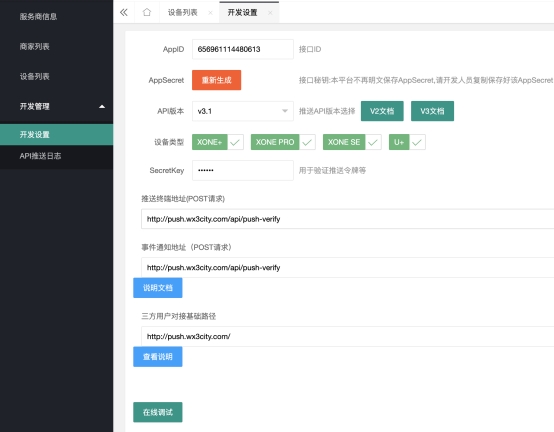
- In the service-side/merchant-side's development settings, configure the third-party push address, event notification address (only for service-side), and the base path for third-party user integration.
- In the device list, confirm that the device is associated with the service-side account (confirm by searching for the SN, only for service providers).

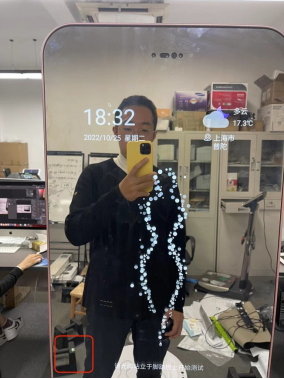
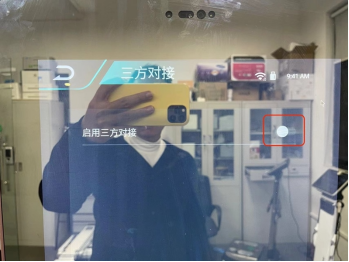
- On the device side, connect the device with a mouse and click on the blank area in the lower left corner of the home page to enter the settings.
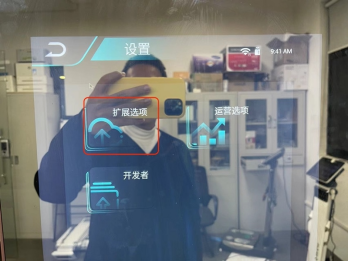
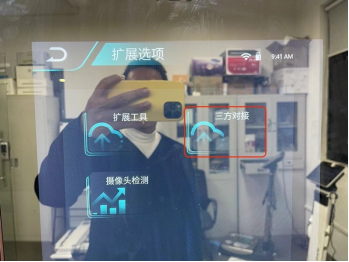
- Select "Extension Options - Third-party Login", enable the switch for third-party login, and then restart the device.
- Third-party login detection
After restarting the device and entering the home page, the device will automatically detect whether the third-party connection is successful. If the detection fails, an error message will be displayed.
 Third-party interface connection failed
 Failed to register device information with the third party