PRO/SE Third-party Login Configuration Process
- In the service-side /merchant-side's development settings, configure the third-party push address, event notification address (only for service-side), and the base path for third-party user integration.
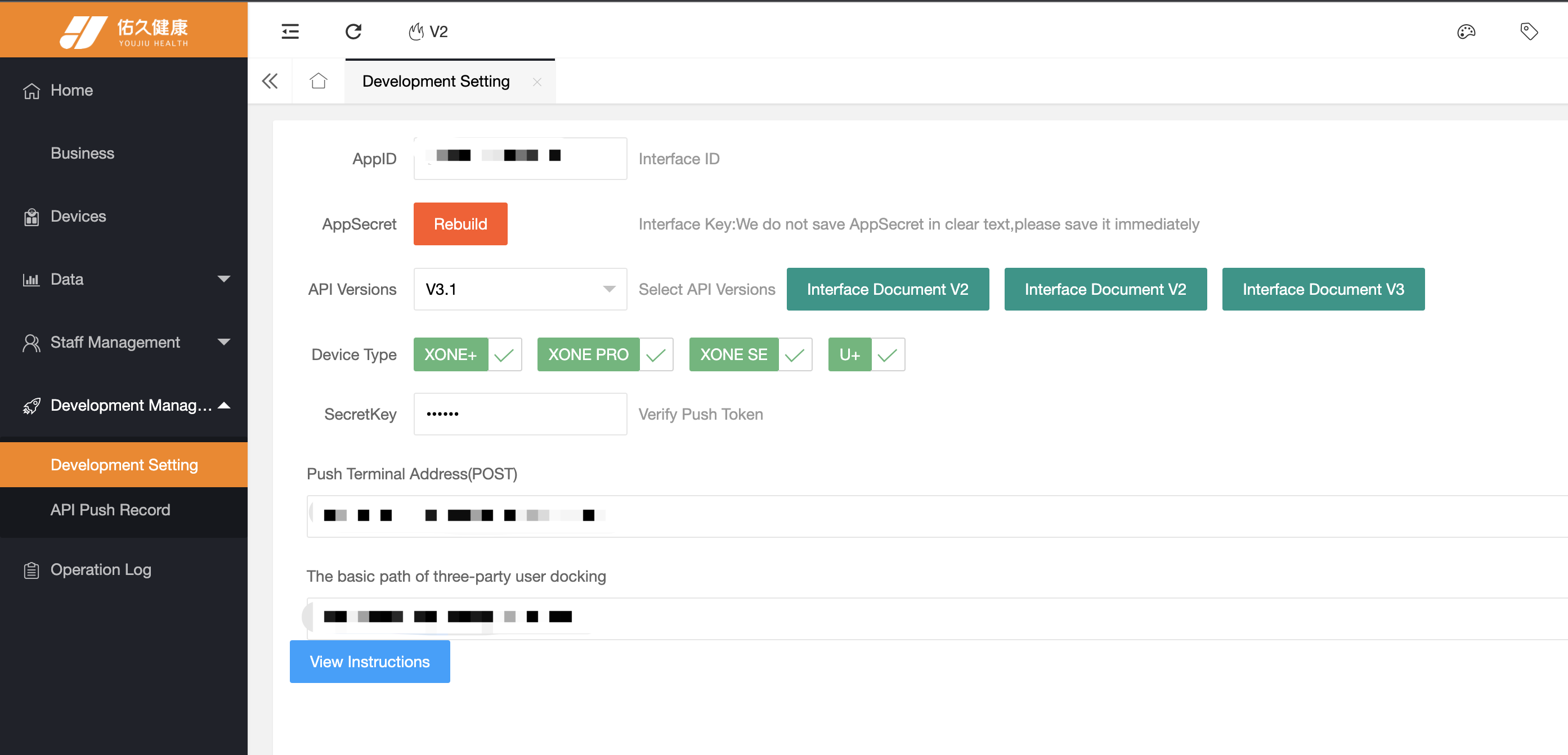
- In the device list, confirm that the device is associated with the service-side account (confirm by searching for the SN, only for service providers).

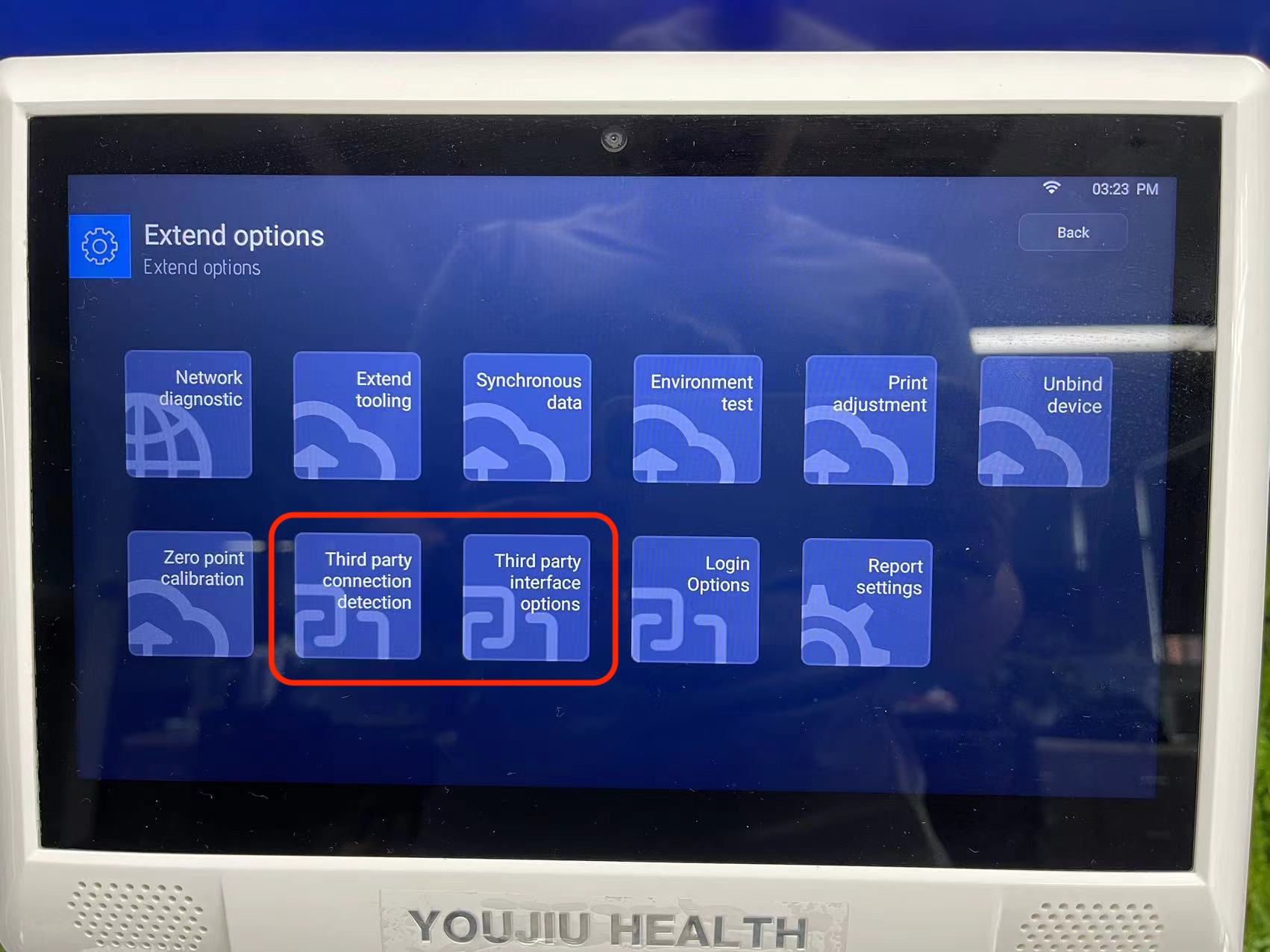
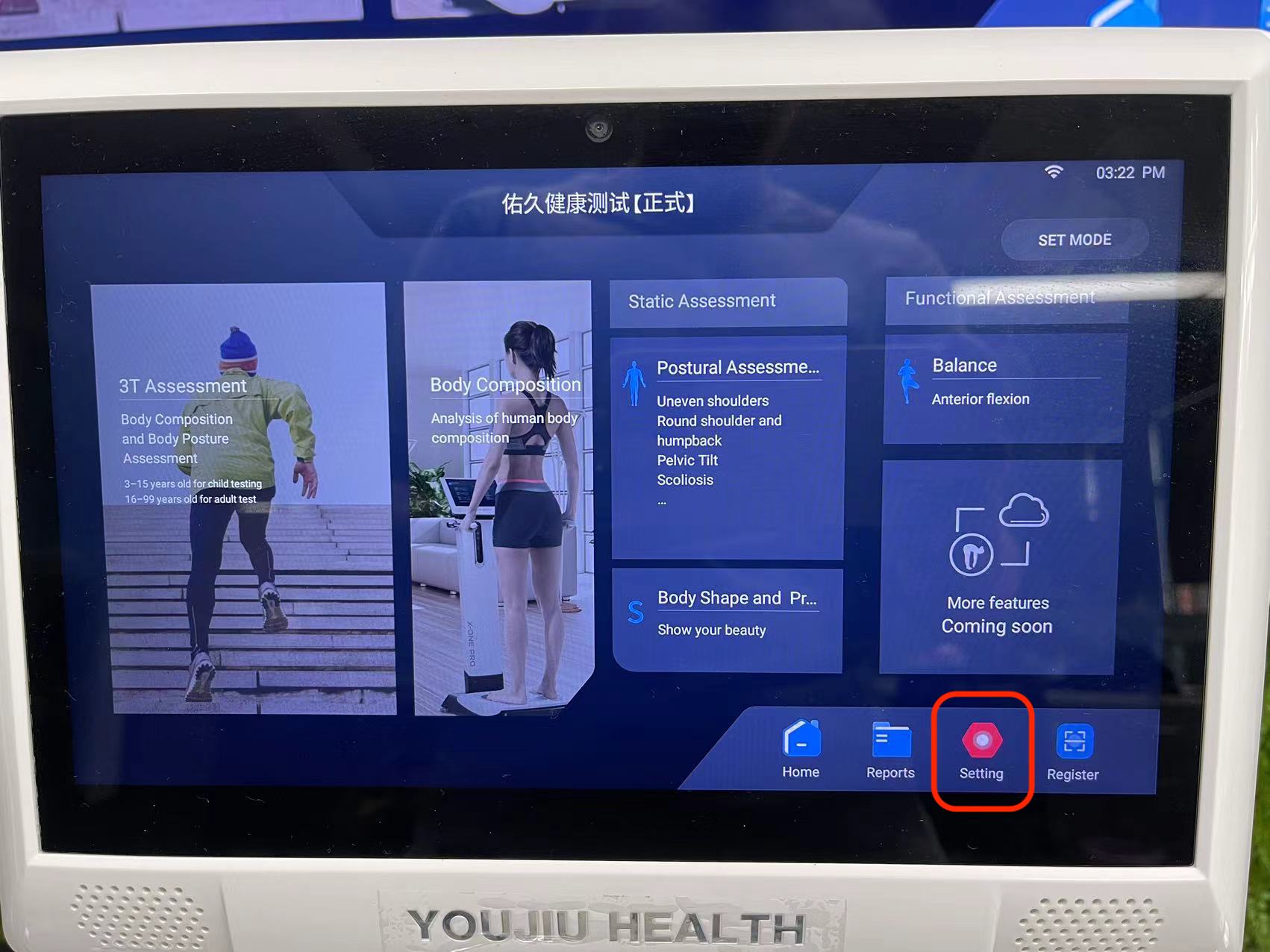
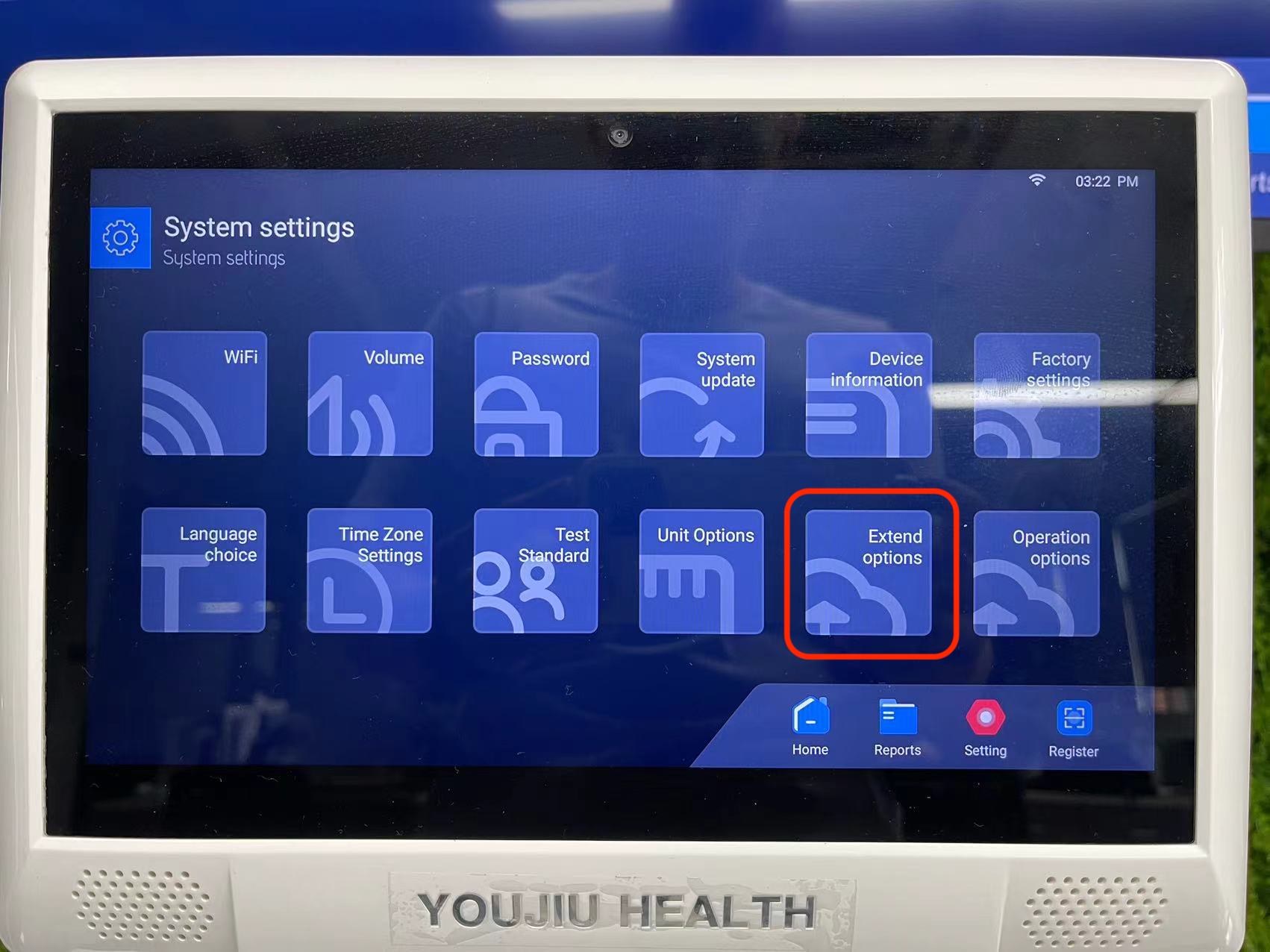
- On the device side, click on "System Settings" on the home page to enter the software settings, then click on "Extension Options".
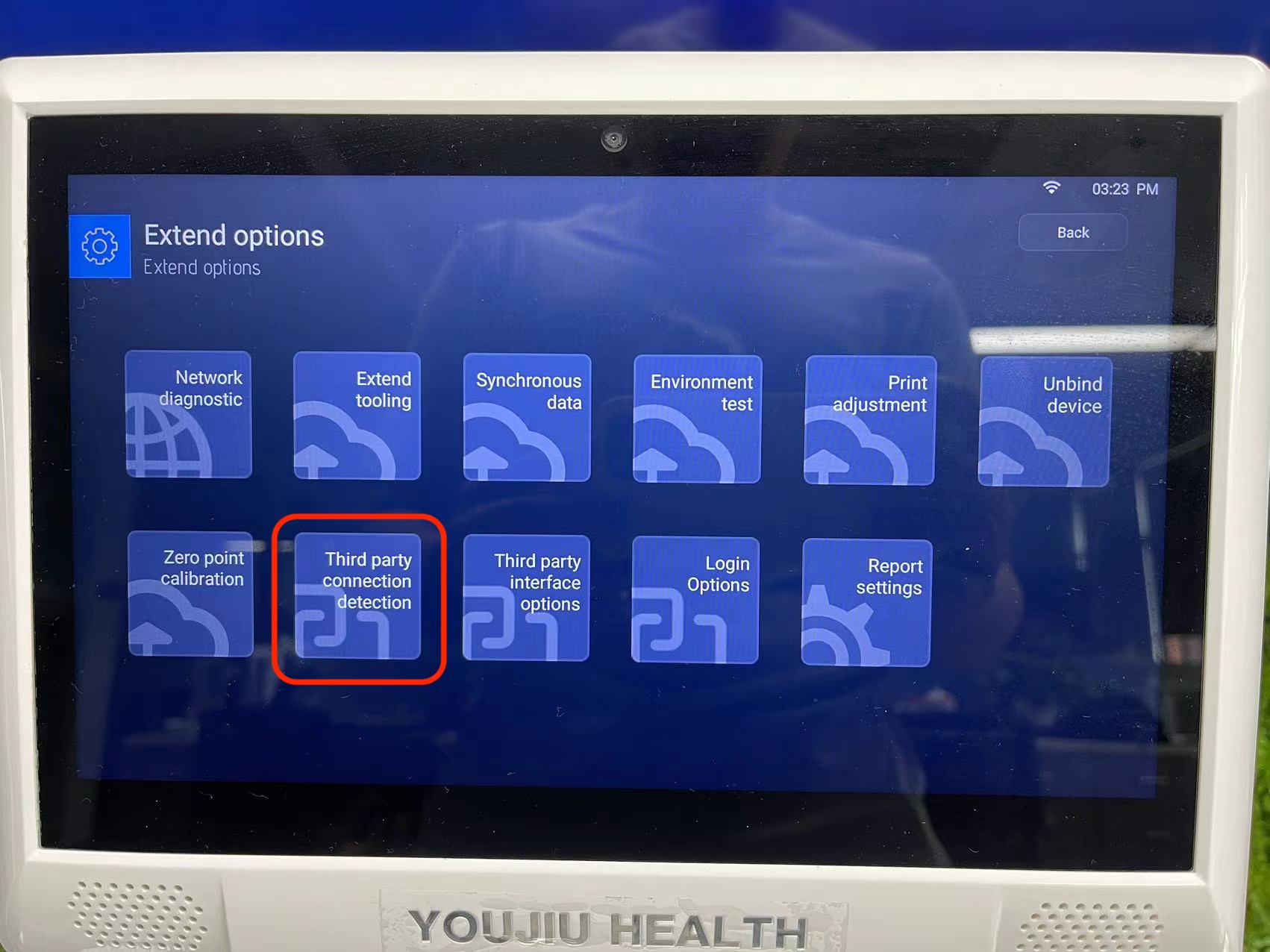
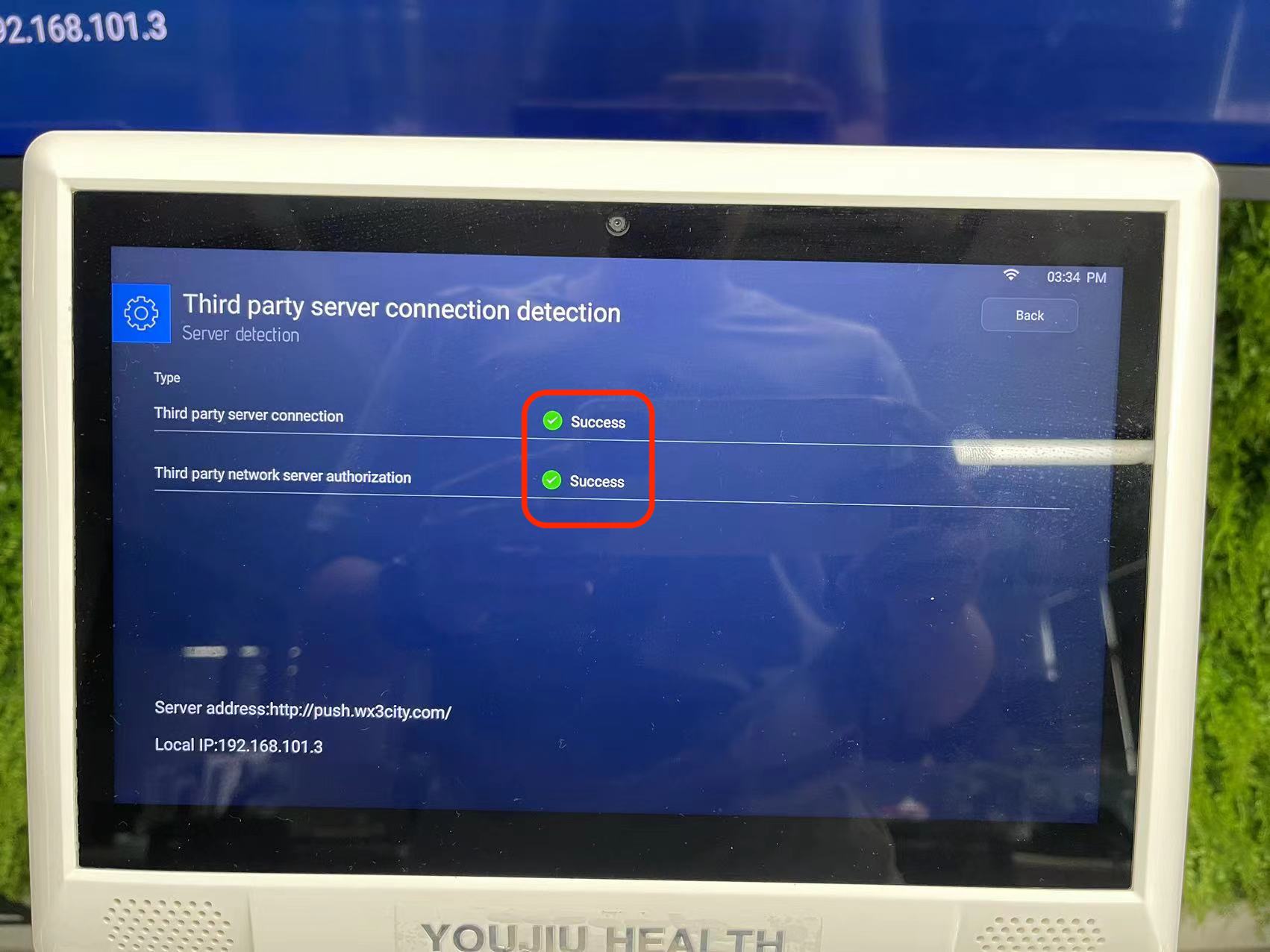
- In the "Extension Options" interface, click on "Third-party Connection Test" to check if the server address is correct and if the connection and authorization are successful.
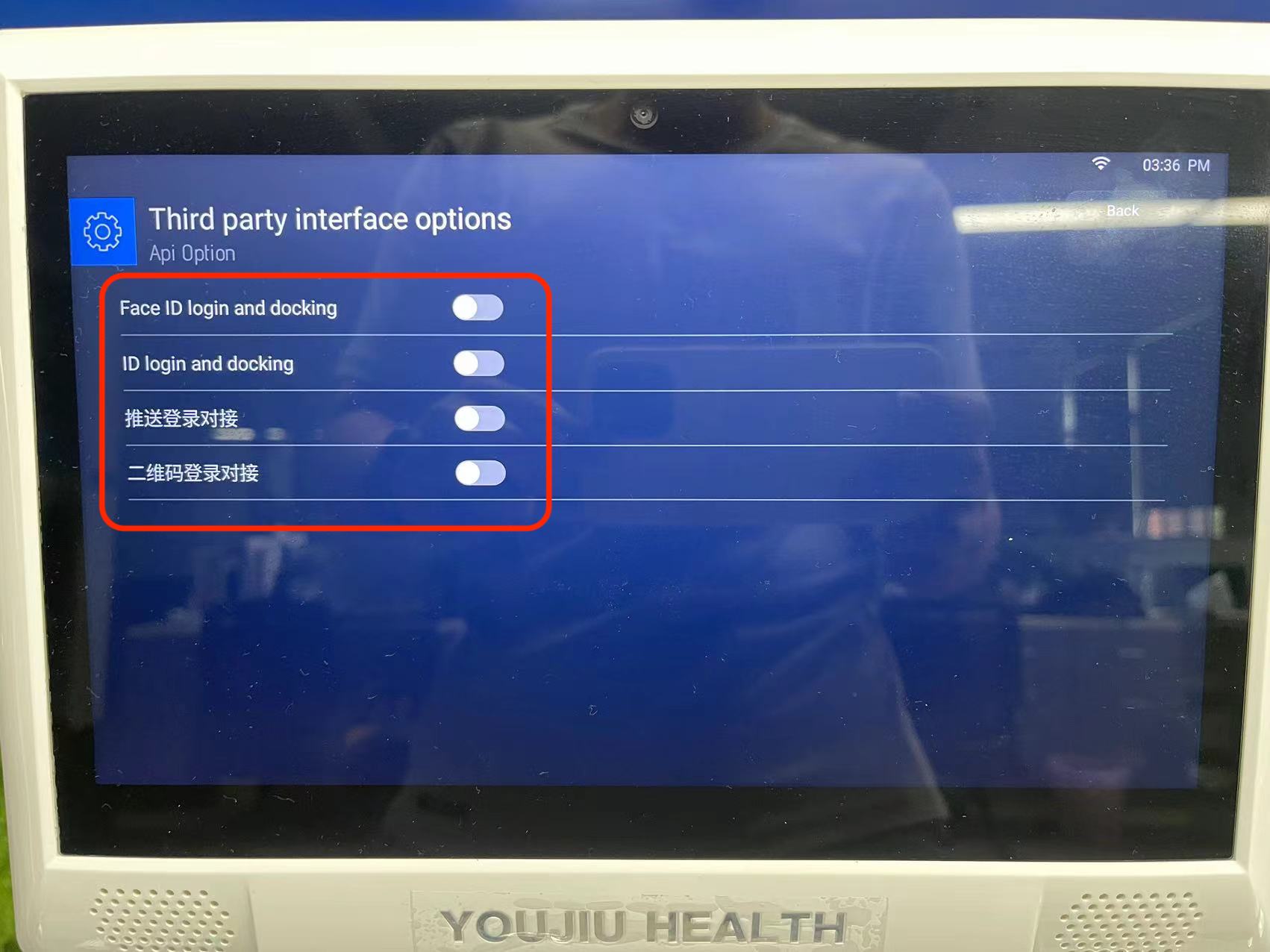
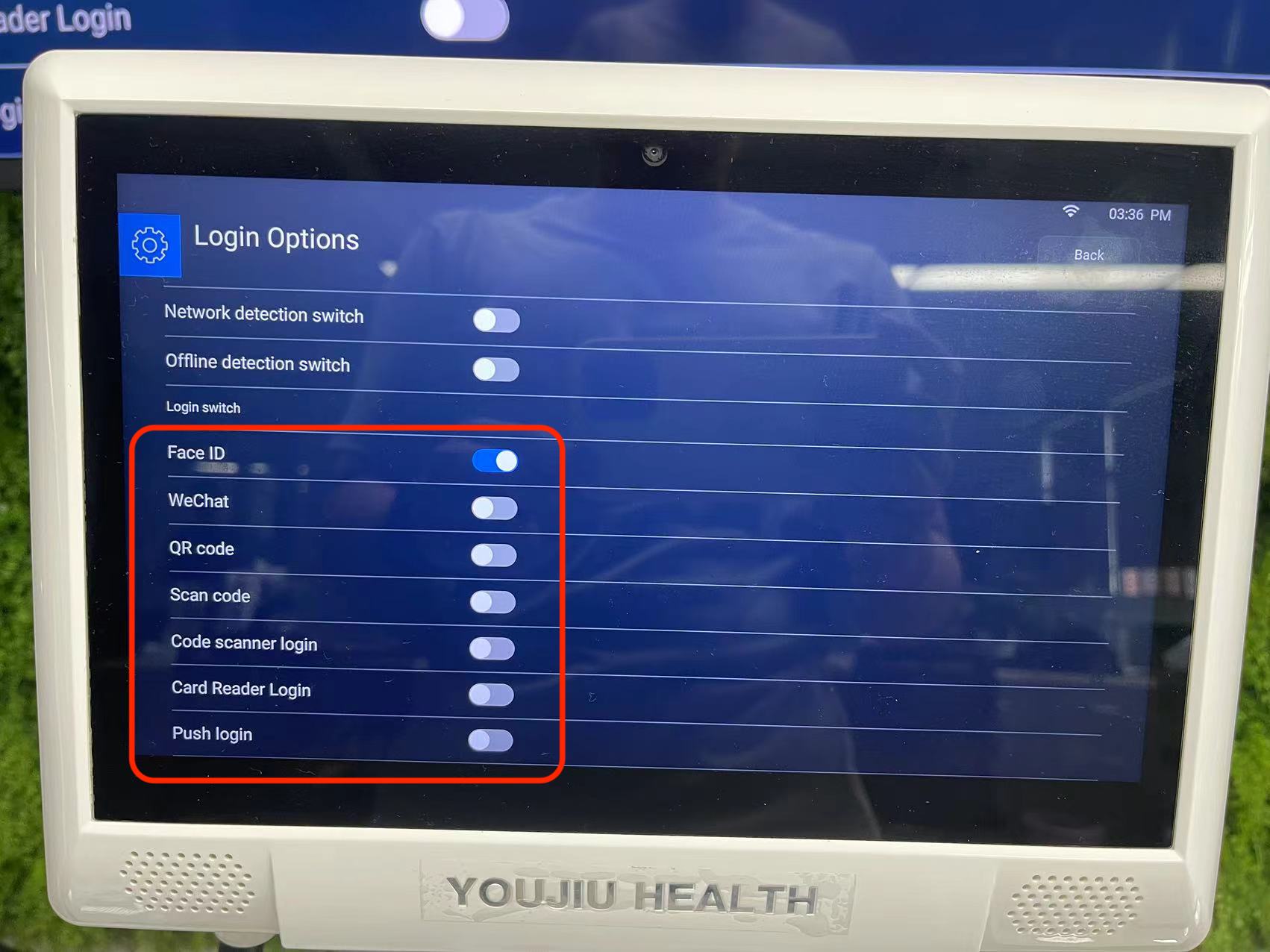
- After a successful third-party test, return to the "Extension Options" interface, and click on "Login Options" and "Third-party Login Options" respectively to check if all the required login functions are properly enabled. Once confirmed, the functionality can be used normally.